Creating a Warehouse Order Entry
Creating a Warehouse Order Entry is a straightforward process using the Order Entry form.
To access this form:
- Click the Order Entry menu button.
- Go to the CREATE ORDER tab.
- Select Warehouse as the Order Entry Type.
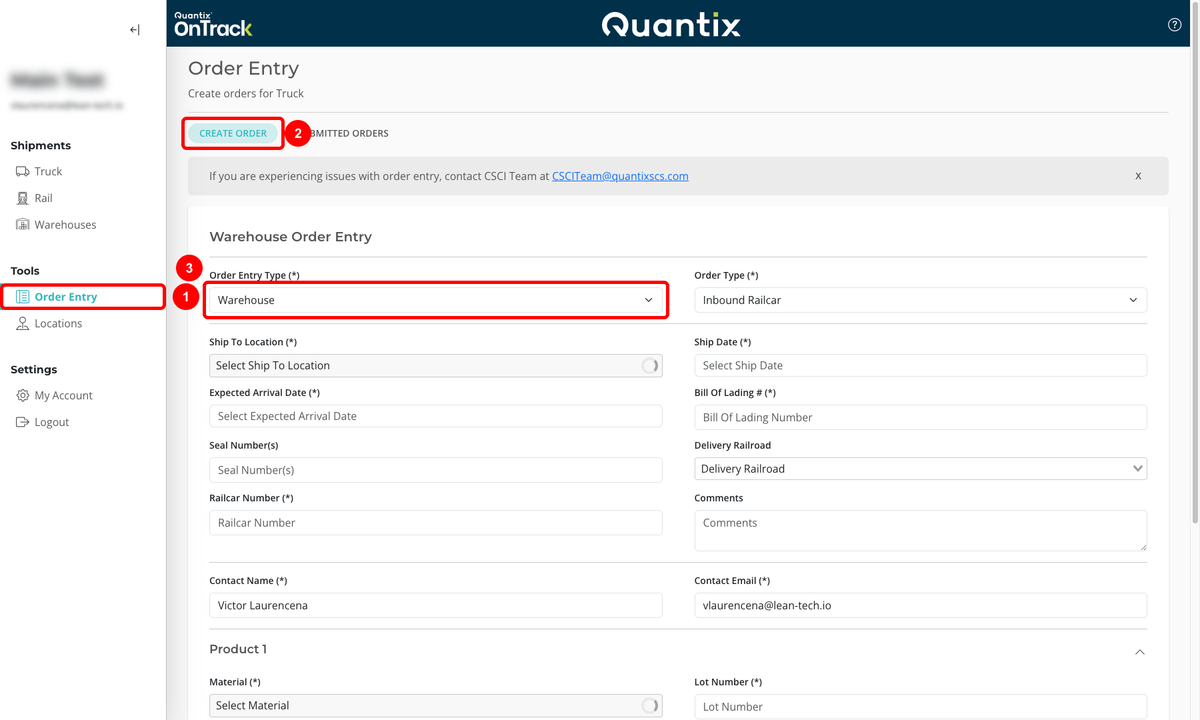
The form provides several fields to complete, depending on the Order Type selected: