Truck Main Page
The main page of the Truck module is designed to provide a clear and concise summary of essential information along with easy access to specific features.
The first thing you'll notice is that shipments are listed in a card view. Each card represents a different shipment and is designed to give you as much information as possible.
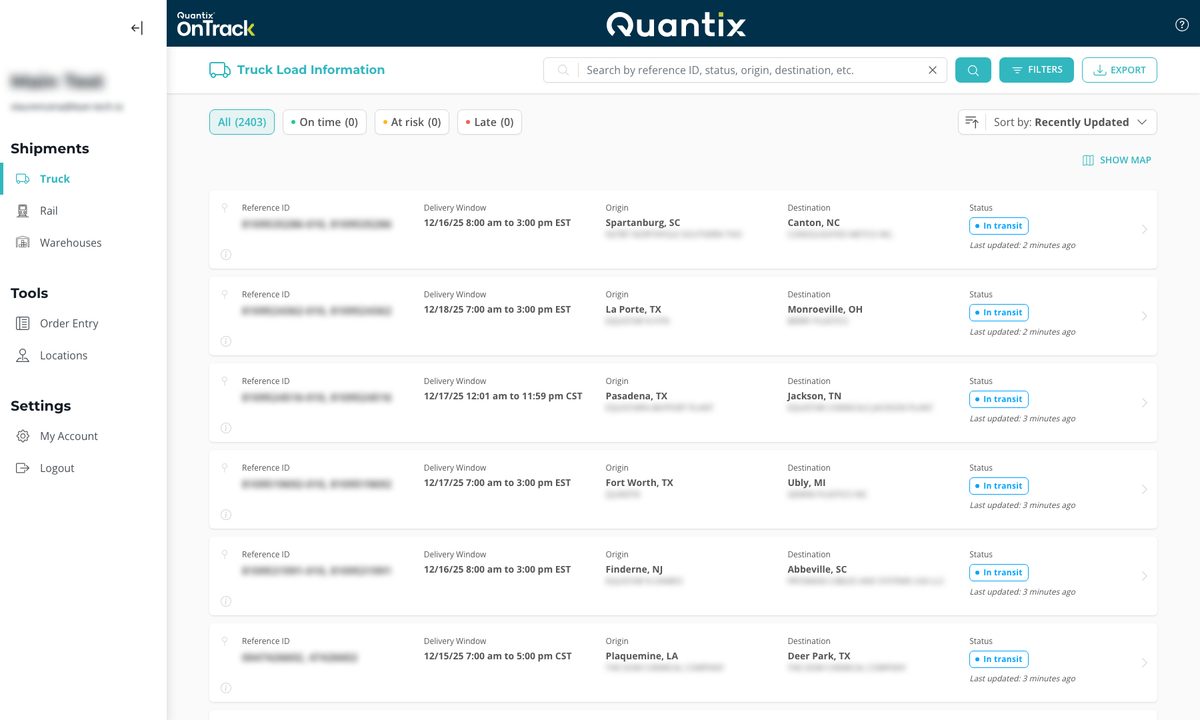
OnTrack defaults to displaying shipments scheduled from 7 days past to 7 days in the future, so you will default to seeing two weeks' worth of shipments — one week of delivered shipments and one week of scheduled shipments.
This page supports the following list interactions: searching, filtering, sorting, and exporting.
For more information, refer to Working with Lists.
Shipment Card Information
Each shipment card will feature the following information:
- Customer Reference ID number
- Consignee delivery window
- The city and company of origin
- The city and company of destination
- Current status
- The last time the shipment received location data
