Truck Main Page Features
The main page of the Truck module is designed to provide a clear and concise summary of essential information along with easy access to specific features.
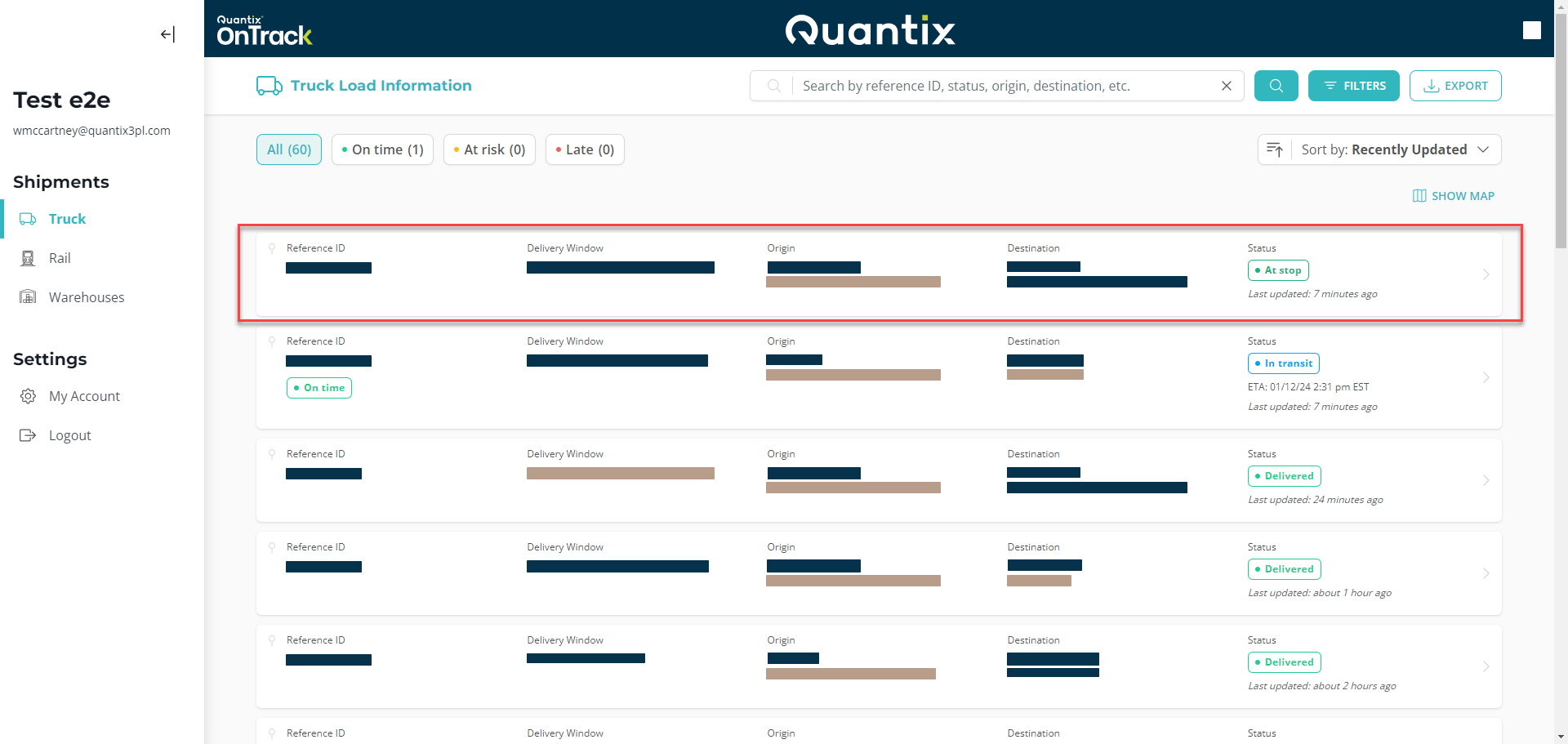
The first thing you'll notice is that shipments are listed in a card view. Each card represents a different shipment and is designed to give you as much information as possible.
OnTrack defaults to displaying shipments scheduled from 7 days past to 7 days in the future, so you will default to seeing two weeks' worth of shipments — one week of delivered shipments and one week of scheduled shipments.
Each shipment card will feature the following information:
- Customer Reference ID number
- Consignee delivery window
- The city and company of origin
- The city and company of destination
- Current status
- The last time the shipment received location data

Additionally, the card might display an ETA (Estimated Time of Arrival), depending on whether the information is available.

And, if the shipment status is In transit, the card will show the shipment's timing, which can be On time, At risk, or Late.
