Exporting Shipment Data
OnTrack has a feature that allows you to export the shipment data visible in the Truck module main page to a CSV file for easy sharing outside our solution.
So, if you have a customer who wants to see what shipments they have moving today, you can use the filters to select just that customer and today's shipments.
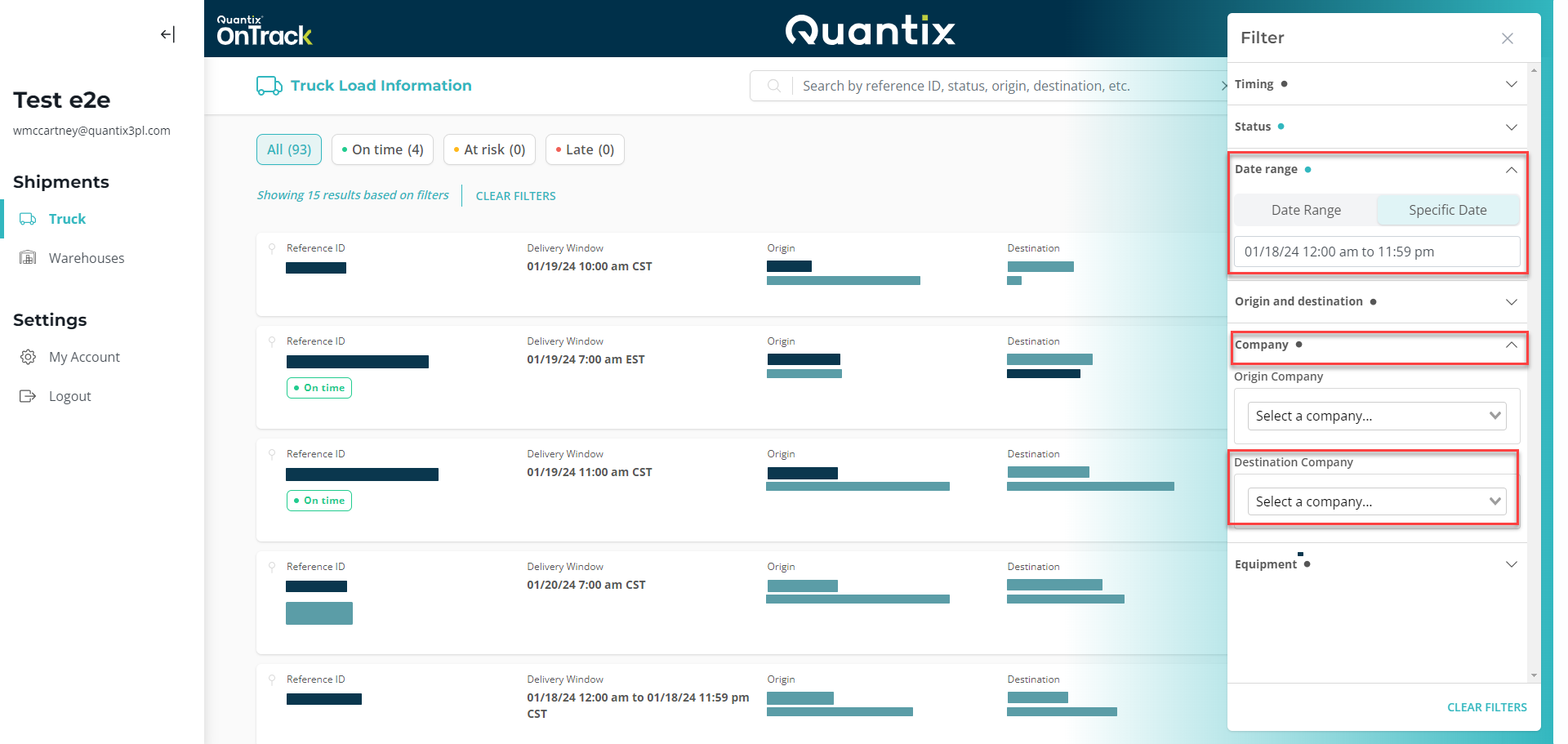
Once you select the filtering criteria, hit the EXPORT button on the top right corner.
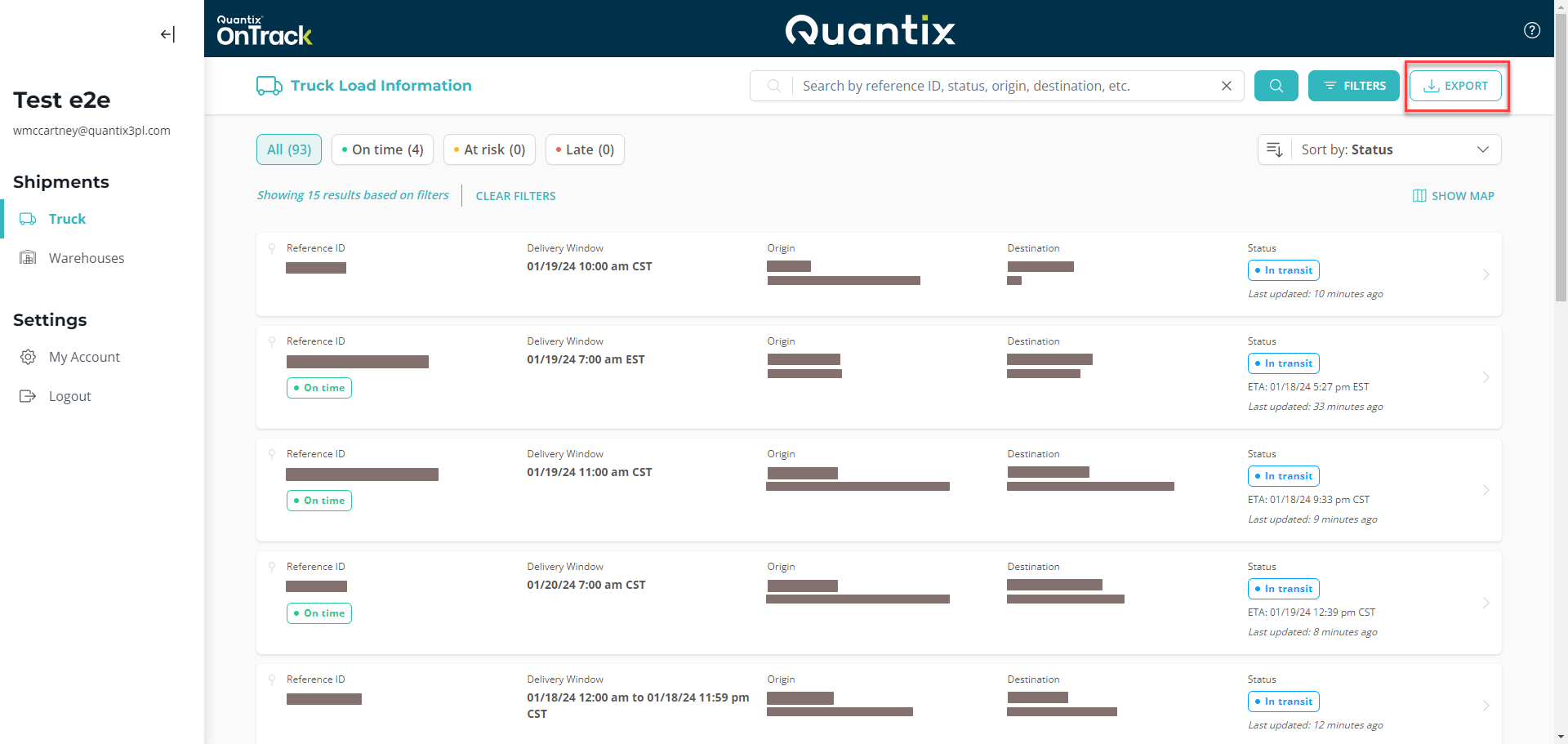
Now, OnTrack will download the CSV file to your computer.
What is a CSV file, and how to read it?
A CSV (Comma-Separated Values) file is a plain text file format used to store tabular data, such as spreadsheets or databases. In a CSV file, each line of the file represents a single row of data, and the values within each row are separated by commas.
There are many widely used spreadsheet applications that support CSV files, for instance:
- Microsoft Excel: Excel is one of the most widely used spreadsheet programs and has robust support for importing and exporting CSV files. When you open a CSV file in Excel, it automatically parses the data into rows and columns.
- Google Sheets: Google Sheets, the online spreadsheet application by Google, also supports importing and working with CSV files. You can upload a CSV file to Google Drive and open it directly in Google Sheets.
- LibreOffice Calc: Calc is the spreadsheet program included in the LibreOffice suite, which is an open-source alternative to Microsoft Office. It offers functionality similar to Excel and allows users to open and edit CSV files.
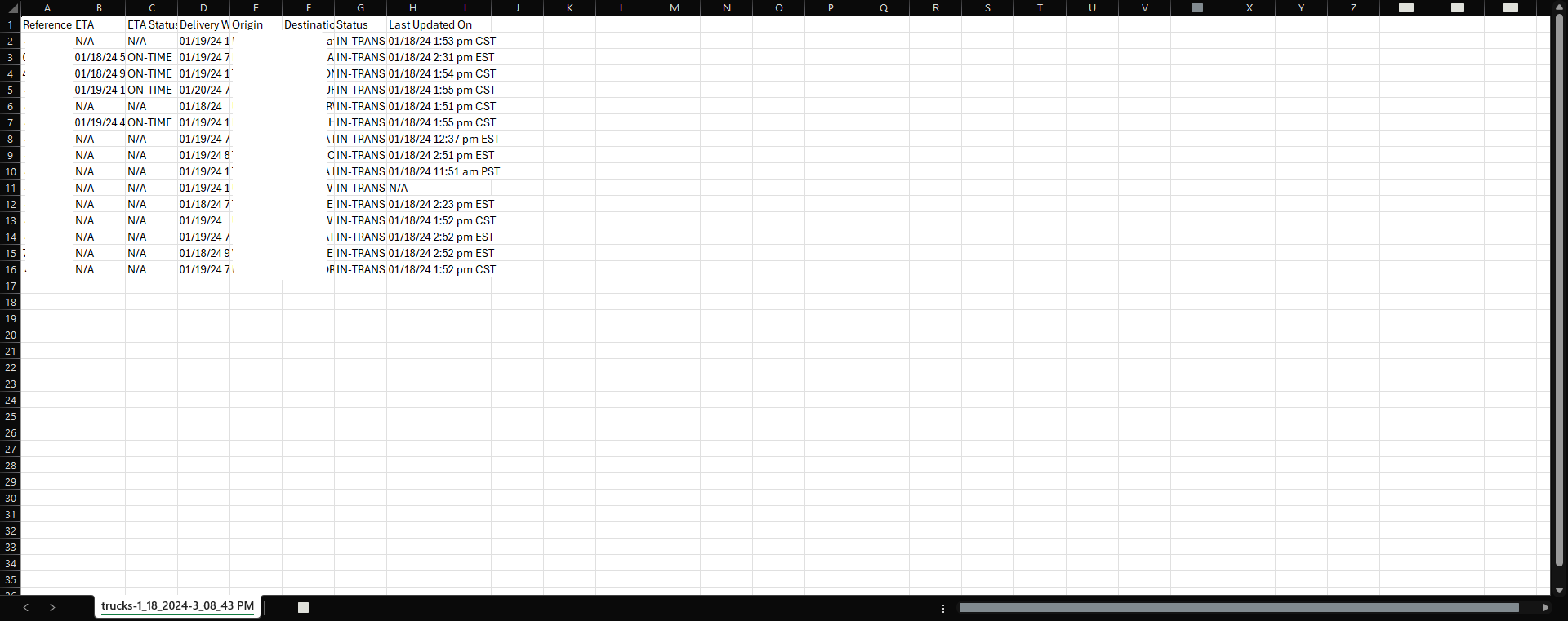
The end result will look similar to this: