Inbound Tab
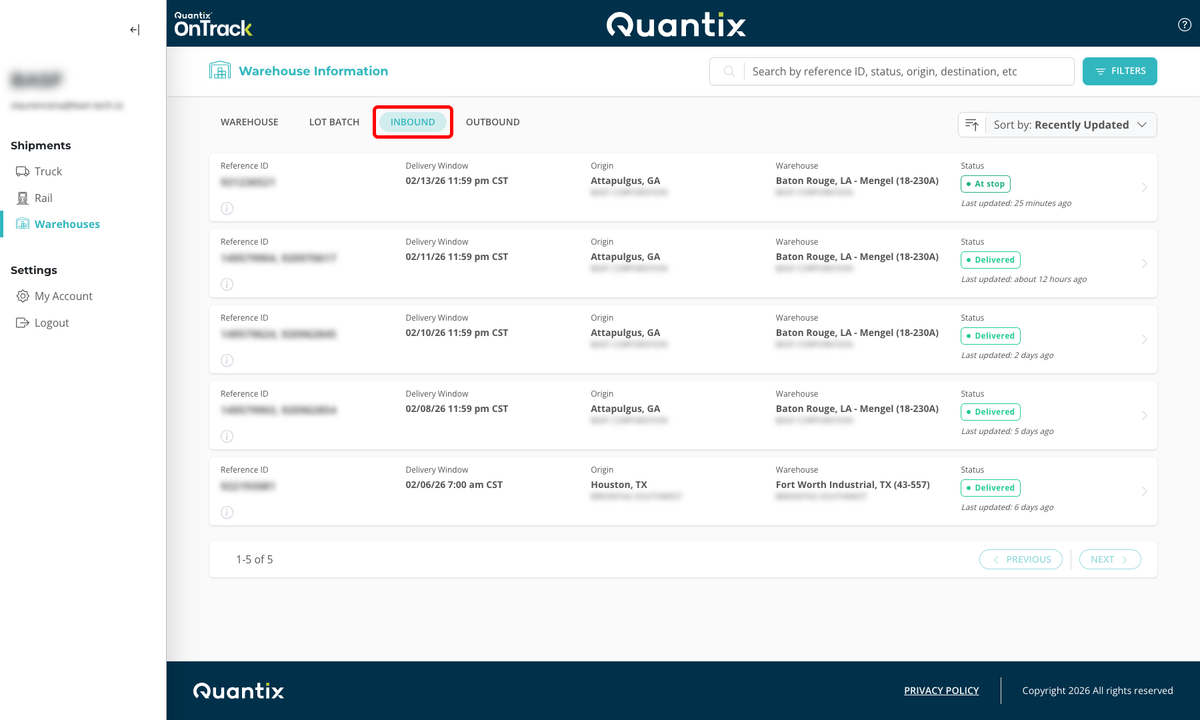
OnTrack allows you to see a list of your inbound shipments using the Inbound tab at the top of the Warehouses module main page.
info
This page supports the following list interactions: searching, filtering, sorting, and exporting.
For more information, refer to Working with Lists.
Inbound Card Details
Each inbound order has its own card that displays vital information about the shipment, such as:

- Reference ID (redacted for privacy).
- Consignee's delivery window.
- Origin city, state, and company.
- Warehouse name and address.
- Current shipment status, including last time the information was updated.
Selecting any of these cards will take you directly to that shipment's details page in the Truck module.