Setting Up Notifications
OnTrack provides a notification feature that you can customize to receive email notifications for certain events as they happen. For example, you can be notified when shipments meet the criteria that you've specified.
Notifications help you stay informed about important events in your shipments. By setting up notifications, you can proactively monitor status changes, receive timely alerts, and ensure you never miss critical updates.
Create a Notification Preference
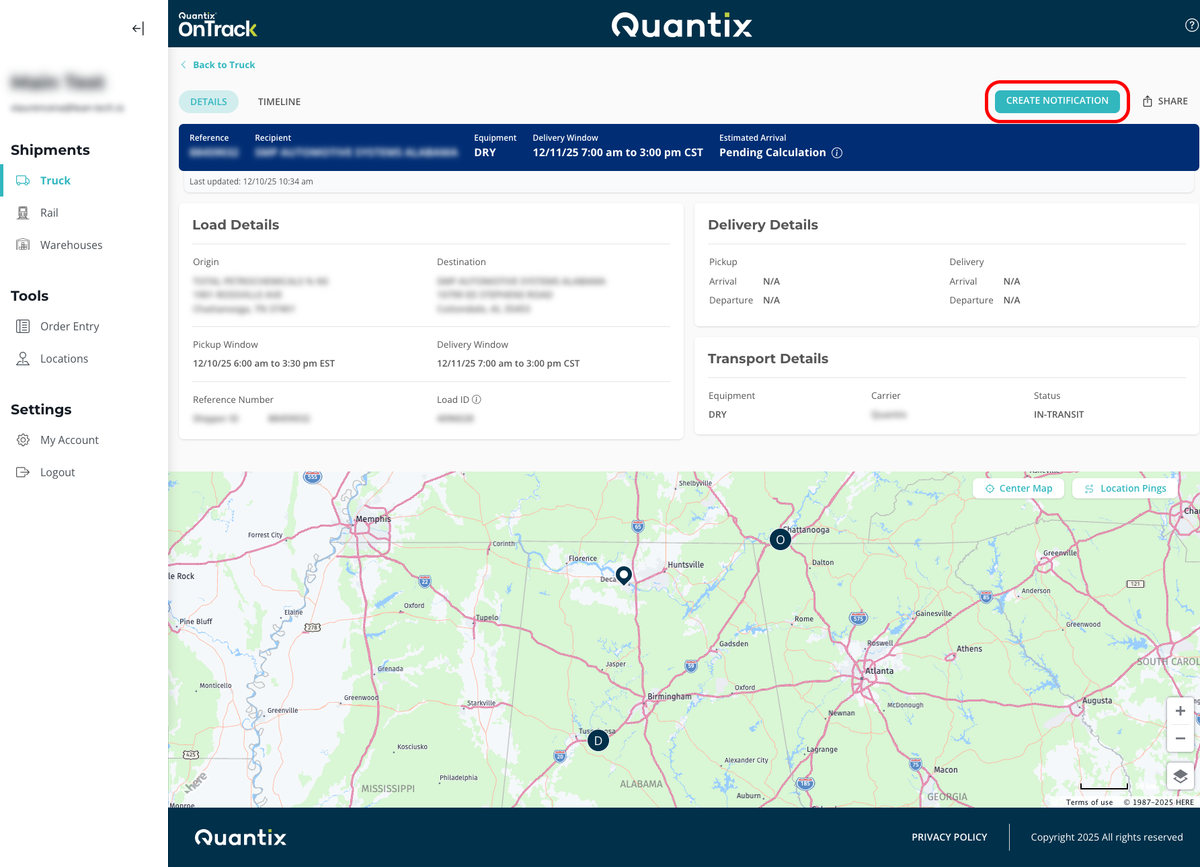
There are two ways to get to the Create Notification Preference form.
The first way is to go to the Truck module, enter any shipment details page, and click the CREATE NOTIFICATION button.
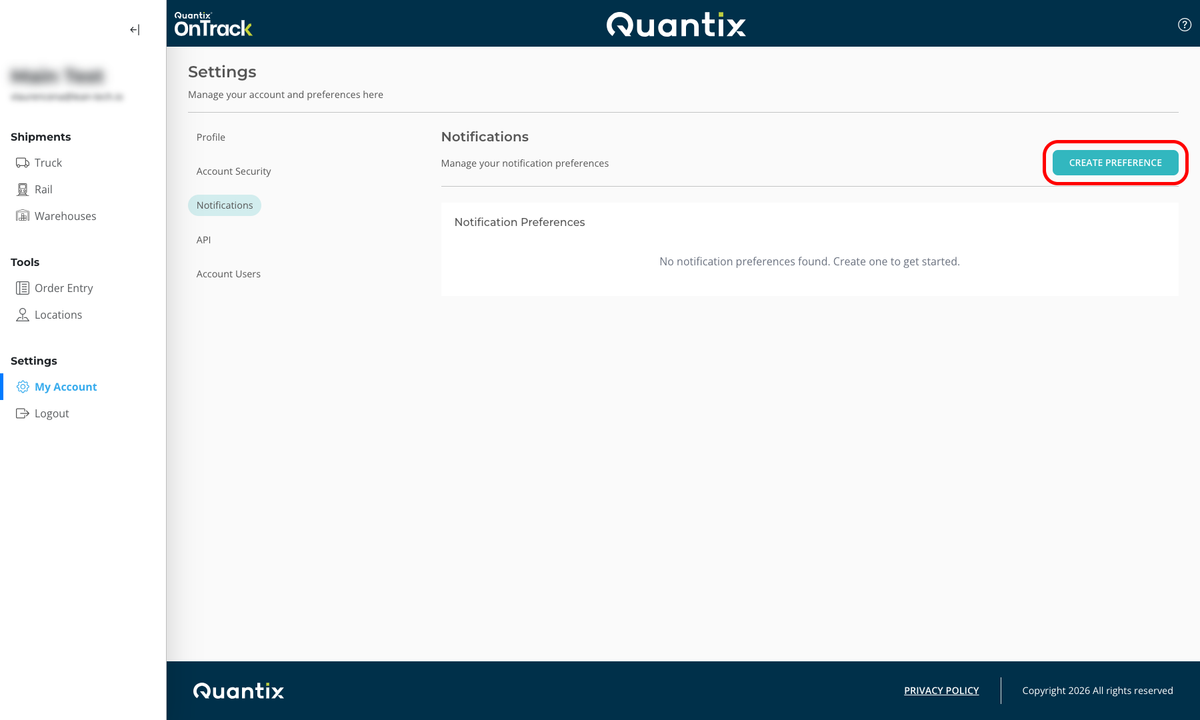
The second way is to go to My Account in the left navigation menu and, inside the Settings page, select Notifications.
To create a new notification, select CREATE PREFERENCE, and you'll be taken to the creation form.
The Create Notification Preference form allows you to customize how and when you receive notifications about your shipments. Here is a breakdown of each section and option available:
1. Preference Name

Enter a descriptive name for your Notification Preference, such as "West Coast Deliveries" or "Priority Loads." This helps you identify your preferences later.
2. Location Scope
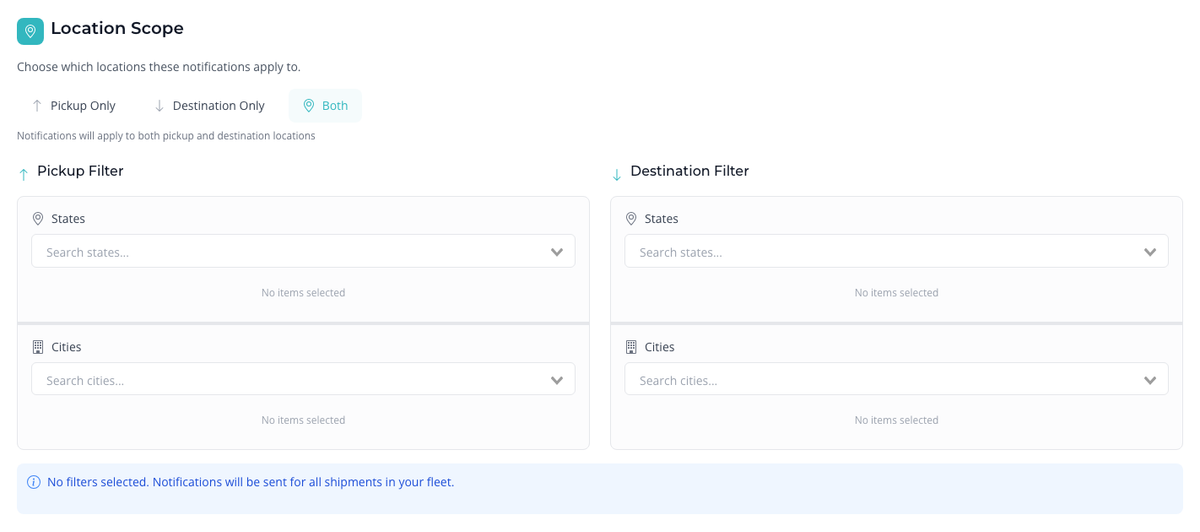
Choose which shipment locations the notifications should apply to:
- Pickup Only: Notifications will apply only to pickup locations.
- Destination Only: Notifications will apply only to destination locations.
- Both: Notifications will apply to both pickup and destination locations.
You can further filter locations by:
- States: Select specific states.
- Cities: Select specific cities.
If no filters are selected, notifications will be sent for all shipments in your fleet.
3. Notification Types
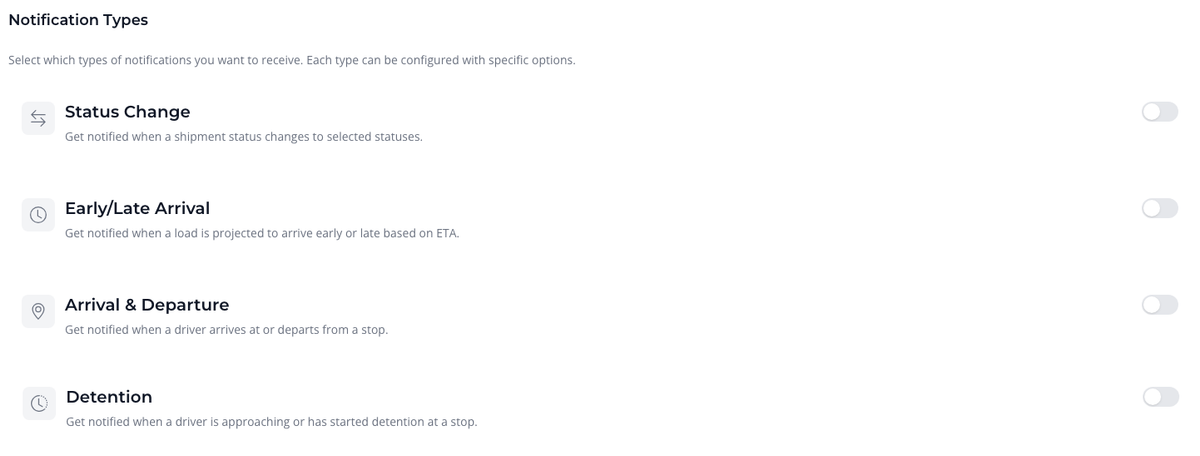
Select the types of events you want to be notified about. Each type can be enabled or disabled individually:
- Status Change: Get notified when a shipment status changes to one or more of the following options:
- In-Transit
- At-Stop
- Delivered
- Canceled
- Early/Late Arrival: Get notified when a load is projected to arrive early or late based on ETA.
- Arrival & Departure: Get notified when a driver arrives at or departs from a stop.
- Detention: Get notified when a driver is approaching or has started detention at a stop. You can set when the detention warning and start alerts should trigger (valid range: 1-480 minutes).
4. Delivery Channels
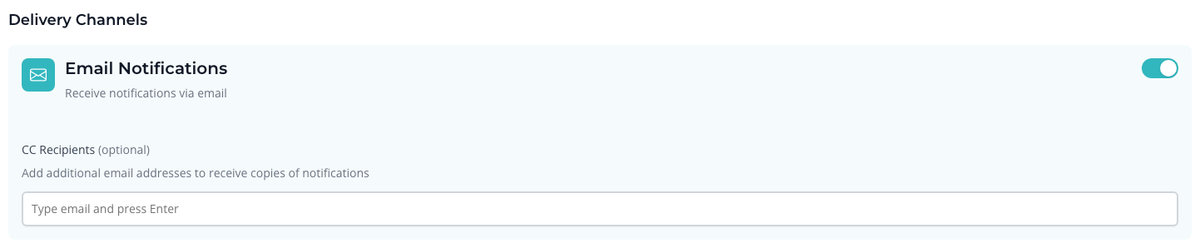
Choose how you want to receive notifications:
- Email Notifications: Enable to receive notifications via email. You can also add additional email addresses as CC recipients to receive copies of notifications.
5. Save the Preference
After configuring your preferences, click CREATE PREFERENCE to save your notification settings. You can also cancel if you do not wish to save the changes.
Edit a Notification Preference
To edit an existing Notification Preference:
- Navigate to the Notifications section in My Account.
- Find the preference you want to modify and click the edit icon next to it.
- This will open the Edit Notification Preference form, where you can adjust the settings as needed.
- After making your changes, click UPDATE PREFERENCE to update the preference.
Delete a Notification Preference
To delete a Notification Preference:
- Go to the Notifications section in My Account.
- Locate the preference you wish to delete and click the delete icon next to it.
- Confirm the deletion when prompted.
This action is irreversible; the deleted Notification Preference cannot be recovered.